 Gabreel
What you get
- The sheet
- Deep blue with a drafting grid. Lines, labels and captions are white; one accent colour marks the part being talked about.
- The drawing
- Your subject as line work: views from outside, cut-open views, close-ups and exploded views, each drawn on the words that name it.
- The notes
- Dimensions, numbered callouts and small tables, like on a real drawing.
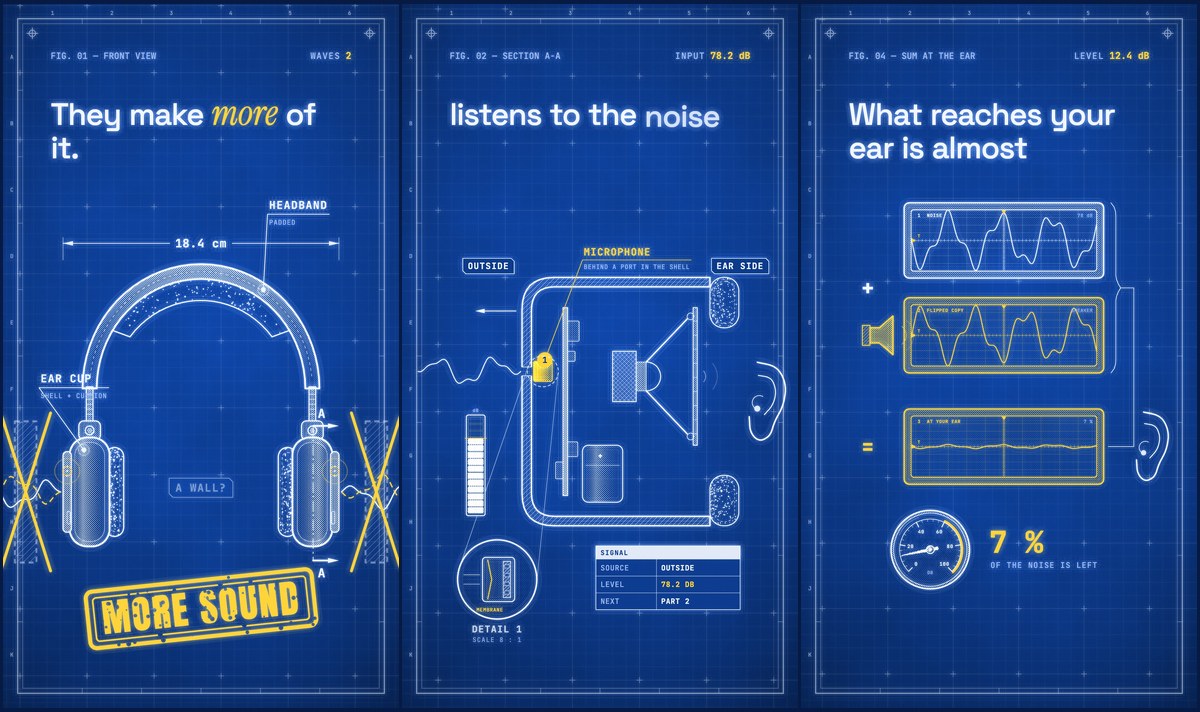
Best for how something works or how it is built: a product, a machine, a piece of tech, a process, a bit of science.
Make a reel
Pick the style
In the app, open Styles, press Blueprint, then Use this style. Or choose Blueprint in the style menu on the dashboard.Say what to explain
Name the thing and what should be understood at the end. Parts and numbers you mention end up on the drawing.Or type it yourself
Any prompt works as long as it says Blueprint.
“Use Gabreel: make a blueprint reel about how noise cancelling headphones work.”
Change things
Ask your AI in plain words.
“Make the microphone bigger and label the outer wall.”
“Use my brand colour instead of yellow.”
Good to know
- Presenter and avatar
- None. Your cartoon presenter and your HeyGen avatar do not appear in this style.
- Colours
- The sheet is always blue and the lines white. The accent is yellow, or the accent of the brand kit you use.
- Numbers
- Your AI is told to put only numbers from your script on the drawing. Give the real ones if they matter.
- Voice
- A built-in voice without setup, or your own: see Voices.
- Length and cost
- Counted like every other reel: see Reel length.
If something goes wrong
The drawing does not look like your product: describe its parts and their order, or upload a photo to your assets and tell your AI to draw from it.
A label is wrong or too small: name the label and say what it should read.